Pour · Wine scanner & cellar
Identify wine from a photo on iPhone
A bottle picture from a restaurant, shop, or dinner can start your next wine search. Pour lets you choose an existing label photo as well as take a new one.
By Pour · Updated
Can I identify wine from an existing photo?
Yes. In Pour on iPhone, open Scan, select the photo-library control, and choose a clear wine-label image. Analysis requires an internet connection. Compare the returned producer, bottling, and vintage with the photograph before saving the result. An unreadable label or a similar release can produce an incorrect match.
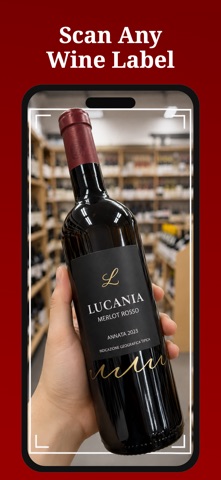
Identify a bottle from your camera roll
- Open Pour on iPhone and go to Scan.
- Tap the photo-library control and choose an image containing the label.
- Wait for analysis. An internet connection is needed.
- Compare the result with the visible producer, wine name, region, and vintage.
- Save the wine to your collection, or ask Pour-AI about the bottle.
Which photos work best?
Choose a photo where the front label is sharp, reasonably straight, and large enough to read. A wide restaurant picture with a tiny bottle in the background may lack the necessary detail. If you still have the bottle, photograph it in even light and remove reflections from the label.
Revisit a restaurant bottle
If you photographed a bottle at dinner without writing its name down, import the label photo and check the producer and vintage. Add the wine to your wishlist if you want to find it again. Add a personal note to remember the occasion. This is a possible workflow, not a guarantee that every restaurant photo can be recognized.
What the scanner can help with
Pour provides an AI-generated profile with wine facts, tasting context, and pairing ideas. It cannot authenticate rare bottles, verify provenance, or guarantee a current selling price. If the label is unreadable, search for words you can see. Follow the label checklist when a result looks close but is not an exact match.
Before you scan
Can I choose an older photo?
Yes. Select an existing image with the photo picker on the Scan screen.
Is this a browser scanner?
No. This page explains the iPhone app. Install Pour to analyze a label photo.
Does it work offline?
Analysis needs an internet connection. Previously saved local collection records remain available offline.
Is every feature free?
Some features require a subscription. Check the current App Store listing and offer in the app before purchasing.