Pour · Your personal wine companion
A wine tasting journal you can keep on iPhone
The useful part of a wine diary is being able to answer “Would I buy this again?” Keep the bottle’s identity alongside your own words, so a memorable dinner does not turn into a forgotten label.
By Pour · Updated
How do I keep a wine tasting journal?
Save the wine’s producer, bottling, and vintage, then write a short note about your own experience and whether you would buy it again. Pour keeps personal notes alongside saved bottles and finished records. AI tasting descriptions are generated context, not your personal tasting record.
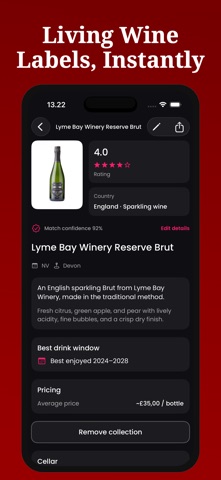
Keep tasting notes you will actually use
You do not need a specialist vocabulary to start a wine tasting journal. A short entry can capture the wine, what you ate, and whether you would choose it again. “Fresh with dinner; would try again” is enough to help your future self.
A simple wine journal entry
| Record | Example |
|---|---|
| Identity | Example Estate White, 2023 |
| Occasion | Friday dinner with friends |
| Your impressions | Light, fresh, and easy to enjoy |
| Meal | Vegetable pasta |
| Next purchase | Would buy again for a casual dinner |
This example is a note format, not a tested wine review. You can put these observations into one personal-notes field; Pour does not require a separate form for every detail.
Start a tasting record in Pour
- Scan the wine label or search for the bottle. Check the producer and vintage before saving.
- Add the wine to your collection and record the purchase details you want to keep.
- Open its saved record and add personal notes in your own words.
- After drinking, keep the finished record and a short note about the experience.
- Revisit Collections and its Finished list when you want to remember a bottle.
Separate your experience from AI tasting notes
A generated wine description gives context, but it is not a record of what you tasted. Use your personal notes to disagree with it, mention the meal, or record a simple preference. Your experience is what makes a wine journal useful after the bottle is gone.
Keep different vintages recognizable
Two bottles with similar labels can be different releases. Include the vintage when visible, and check it after a scan. If your note says you enjoyed one release, do not assume it describes every bottle made by that producer. Use the label verification checklist when the details look uncertain.
Questions about keeping a wine diary
Do I need to own a cellar?
No. A few bottles you want to remember are a useful starting point. For wines you have not bought, keep a wine wishlist instead of recording them as stock.
Does the journal sync between devices?
Collection information is stored on your device. Do not assume automatic synchronization or a shared journal. Keep your device backed up if the records matter to you.
Can I use a spreadsheet?
Yes. The inventory guide includes a free CSV template with a personal-notes column. It is a separate spreadsheet, not an app import/export feature.